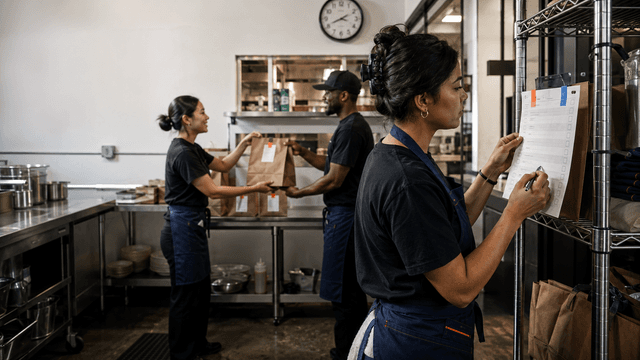
Turn Restaurant Reviews Into Store-Level Operations Signals
Summary Highlights
Restaurant review management software for delivery teams. Centralize reviews, spot store-level issues, and improve ratings across platforms.
What Your 1-Star Delivery Reviews Are Actually Telling You About Your Operations
Every week, your restaurants collect hundreds of data points about what's going wrong in your kitchens.
They arrive as 1-star reviews on DoorDash. As "food was cold" on Uber Eats. As "missing items again" on Grubhub. And almost every restaurant team reads them, winces, drafts an apology response, and moves on.
That's the wrong move. Not the response part, responding matters. The "moving on" part.
Because those reviews aren't just unhappy customers. They're a real-time operations report. And when you learn to read them as one, you stop chasing individual complaints and start fixing the systems that generate them.
Reviews Aren't Just Feedback - They're Your Earliest Warning System
Here's what most operators don't realize: by the time a bad delivery review lands, something in your operation has already failed - probably more than once. Customers who bother to leave a 1-star review represent a small fraction of the people who had the same experience. Research analyzed by Chatmeter across more than two million customer reviews found that incorrect orders and poor delivery experiences are among the leading drivers of consumer frustration with third-party delivery. And according to data from an eduMe study cited by Restaurant Dive, 63% of consumers experienced at least one incorrect delivery order in the past year - with most of them blaming the restaurant, regardless of where the error actually occurred.
That last point matters. The customer doesn't care whether the wrong burger was the kitchen's fault or the driver's. It shows up on your rating. It affects your platform ranking. And if it happens three Fridays in a row at the same location, something in your system is broken.
The review is the symptom. The ops failure is the cause.
Why Most Restaurant Teams Treat Reviews as a PR Problem (And Miss the Point)
The response-without-action trap
Most restaurant teams, even well-run ones, have built their review workflows around one goal: responding fast to protect the rating. That's not wrong. Response speed matters for rankings and customer perception. But it creates a workflow that ends with "I've replied, we're done" and never asks "why did this happen, and where exactly?"
The marketing or social team owns reviews. They craft the responses. They track the star rating. But they're rarely the ones who can walk into Store #14 at 5:30pm on a Friday and check whether the packing station is set up correctly, or whether the modifier screen is showing up right in the kitchen display.
The ops team often never sees the review data at all. And even when they do, it's fragmented - one platform at a time, one location at a time, no consistent signal.
That's the gap. Not in willingness to fix problems, in having a system that connects the review to the problem it's pointing at.
The Five Complaint Categories That Map to Specific Ops Failures
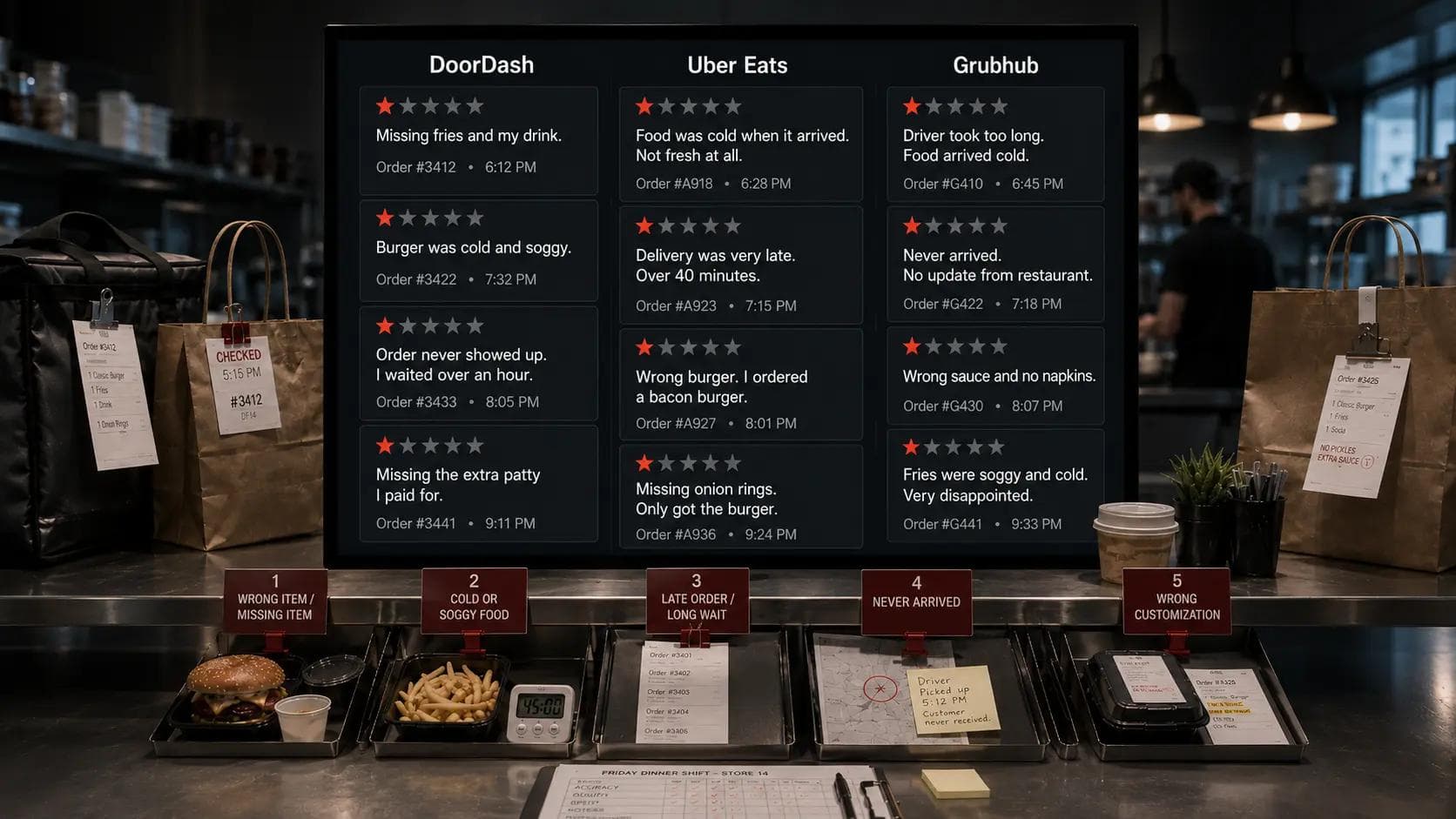
Not all negative delivery reviews are equal. When you start sorting them by complaint type rather than star rating, five categories emerge - each one pointing at a different part of your operation.
- "Wrong item / missing item" - This almost always traces back to packing station accuracy or how modifiers are communicated from the POS to the kitchen. When this complaint clusters at one location or one daypart, it's usually a station setup problem or a training gap on a specific shift.
- "Cold or soggy food" - This signals a prep timing or handoff delay. The food was ready too early and sat waiting. Or there's a mismatch between when the kitchen is completing orders and when drivers are arriving. Either way, it's a location-specific throughput issue.
- "Long wait / late order" - Kitchen throughput at peak hours, or a location that's auto-accepting more orders than its prep capacity supports. This one often shows up most on Friday and Saturday dinner shifts at specific stores.
- "Order never arrived" - Worth flagging alongside your dispute data. When this complaint pattern concentrates on one platform or one delivery zone, it may point to a handoff problem at that store.
- "Not what I ordered / wrong customization" - Typically a breakdown in how POS instructions translate to kitchen prep, especially for complex modifiers or allergy requests. Tends to cluster around newer staff or high-volume shifts.
One complaint in any category is a data point. Three or more of the same complaint, at the same store, in the same time window - that's an operational pattern.
What a Pattern Actually Looks Like and How to Spot One
Delivery review pattern analysis is the practice of grouping negative reviews by complaint type - wrong items, cold food, missing items, late orders - and tracking how frequently each appears at a specific store location or daypart. When the same complaint shows up three or more times in the same context, it stops being a customer service issue and starts being an operations alert.
In practice, a pattern might look like this: five reviews at your downtown location over two weekends all mention "missing sauce" or "burger was wrong." That's not random. That's your kitchen team - or your packing setup - at that location, on those shifts, making a consistent error. One that your ops manager can actually walk in and fix.
The challenge is that you can't see this pattern if you're looking at reviews one platform at a time, or reviewing a single location's dashboard in isolation. You need the complaint types aggregated across platforms, and you need to be able to filter by store and time window to surface the signal.
The Multi-Unit Problem: One Store Is Tanking Your Brand
Why brand-level averages hide store-level crises
For independent operators, tracking delivery reviews is hard. For multi-unit brands running 20, 50, or 100+ locations across multiple platforms, it can feel impossible.
And here's the specific danger that scale creates: your brand-level average rating looks fine. You're holding a 4.2 on DoorDash. You're above the category average on Uber Eats. Everything looks acceptable in the aggregate. But inside that average, one store is sitting at 3.6 and generating a stream of "missing items" and "cold food" complaints every weekend that nobody has connected into a pattern because nobody is looking at that store's review data systematically.
That store is training your most loyal customers in that delivery zone to stop ordering. And you won't know until the sales numbers move - weeks or months after the reviews told you.
This is the specific problem that brand-level review averages hide. Aggregated ratings smooth over the outliers. But in multi-unit delivery operations, the outlier is often the most important signal you have.
The Information Is Already There - But It's Spread Across Five Tabs
Here's the frustrating part: the data exists. Your DoorDash Merchant Portal has review data. So does Uber Eats Manager. So does Grubhub for Restaurants. And Google. And Yelp. Every complaint, every star rating, every piece of feedback is sitting in a dashboard somewhere.
But it's in five different dashboards, each with its own interface, its own data structure, and its own definition of what a "negative review" means. To build a picture of what's happening at Store #14 on Friday dinner shifts, someone would need to log into all five, export the data, standardize it, filter it by location and date, sort by complaint type, and then try to read a pattern from a spreadsheet.
That doesn't happen. Not because operators don't care, because it takes more time than anyone has, and the information feels too fractured to be worth the effort.
This is exactly why a unified review inbox, one that pulls all platforms into a single view, lets you filter by brand, store, and rating, and surfaces complaint trends automatically, changes the calculus. When the data is in one place and trends are surfaced rather than manually excavated, the signal becomes visible without the spreadsheet labor.
Voosh's Reviews & Ratings feature does this: it pulls your reviews from DoorDash, Uber Eats, Grubhub, Google, and Yelp into a single inbox, flags operational issues, and surfaces trends by store and daypart, so your ops team can see the pattern without chasing tabs.
What Changes When You Read Reviews as an Ops Team, Not a Marketing Team
The shift is smaller than it sounds, but it makes a real difference in what happens after a review lands.
Marketing-team framing: "We got a 1-star review, let's respond professionally and protect the rating."
Ops-team framing: "We got a 1-star review for a wrong item. Is this the third time this week at that store? If so, what's happening at that packing station?"
The first framing ends with a reply. The second ends with a manager check, a station adjustment, a shift briefing, or a training session. And critically, it ends with fewer of the same complaints next week, which actually moves the rating over time.
This doesn't mean ops teams should be writing review responses. It means review data should be part of how ops teams monitor store performance, alongside ticket times, order accuracy scores, and food cost reports.
For a multi-unit delivery operations guide on how to connect these signals, it's worth seeing how leading operators structure their weekly performance reviews to include delivery complaint trends alongside traditional ops metrics.
Making It a Habit: A Simple Review-as-Operations Cadence
You don't need a new department or a major process overhaul. You need a consistent rhythm.
Weekly (20 minutes): Pull delivery reviews filtered by store and sorted by complaint category. Flag any store with three or more of the same complaint type in the past seven days. Send a one-line ops note to that location's manager: "Three missing-item complaints this week, can you check the packing setup on dinner shift?"
Monthly (45 minutes): Review complaint trends by store across the full month. Identify the top two or three recurring complaint types brand-wide. Cross-reference against locations with declining order volume or rating drops. Bring findings into your monthly ops review alongside other performance data.
Quarterly: Look at whether recurring complaint types are improving or persisting. If the same store has been generating "cold food" complaints for three months in a row, that's a systemic issue - packaging, timing, or throughput - that needs a structural fix, not just a response template.
The operators who build this habit find something consistent: once they start treating reviews as ops data, the reviews get better. Not because they responded faster, because they actually fixed the things customers were complaining about.
The Reviews You're Ignoring Are a Roadmap
Your delivery reviews are not a reputation management problem that lives in a marketing inbox. They're a real-time, store-level, shift-specific report on what's breaking down in your operation.
A cluster of "missing items" at one location is a packing problem. A pattern of "cold food" on weekend evenings is a throughput problem. Three "wrong order" complaints in a week at the same store is a training problem. These aren't hard to fix once you can see them, but you have to read the data as an ops signal, not just a PR one.
The information is there. It's already being generated, every day, across every platform you're on. The question is whether you have a system to surface it, connect it across platforms, and route it to the people who can actually do something about it.
Want to see what your delivery reviews are actually saying about your operations? Book a demo with Voosh and see how restaurant brands are using a unified review inbox to surface store-level patterns, and fix the operational issues behind them.