Restaurant Opening Checklist for Delivery Apps
Summary Highlights
Use this restaurant opening checklist to launch delivery apps cleanly, test every order path, train staff, and stabilize a new location in the first 30 days.
Restaurant Opening Checklist for Delivery Apps
Opening a location already means people, equipment, vendors, and last-minute fixes. Delivery apps add another opening inside it.
A storefront can look live while the wrong hours are showing. A ticket can reach a tablet but not the kitchen. A modifier can appear to the guest and disappear before production. Without clear ownership, the first customers become your QA team.
This checklist covers delivery from 30 days before go-live through day 30.
What is a restaurant opening checklist for delivery apps?
A restaurant opening checklist for delivery apps is a timed quality-control plan for storefront setup, menus, hours, order routing, test orders, staff roles, handoff, escalation, and post-launch monitoring. It proves that every order can move from guest checkout to kitchen production and pickup before the restaurant adds real demand.
This does not replace the broader opening plan for permits, food safety, hiring, construction, and licensing. It keeps the off-premises order path from getting lost between them.
Why does delivery need its own launch plan?
Off-premises is not a side channel anymore. The National Restaurant Association reported in 2025 that nearly three out of four restaurant orders happen off-premises, and 37% of adults order delivery at least weekly (source).
That demand can arrive the moment a marketplace storefront becomes available. Guests see an open restaurant and expect the accuracy of a mature location.
A delivery launch plan reduces three avoidable risks:
- Silent setup errors: incorrect hours, missing items, broken modifiers, or the wrong address.
- Broken order flow: orders that fail to reach the right device, POS, printer, or kitchen station.
- Unowned exceptions: nobody knows who can pause a channel, contact support, or approve a workaround.
How do you launch delivery apps without opening-day chaos?
Use this seven-stage sequence:
- 30 - 14 days out: Assign owners, confirm location IDs and access, and map the primary and backup order paths.
- 14 - 7 days out: Audit every storefront, menu, modifier, price, hour, photo, and availability rule.
- 7 - 2 days out: Run test orders through each distinct marketplace, fulfillment route, and daypart.
- 48 hours out: Rehearse the shift, driver handoff, exception process, and escalation tree.
- Launch day: Name one launch lead, keep an issue log, and make fast go/no-go decisions.
- Days 1 - 7: Review orders, cancellations, downtime, timing, order issues, and reviews every day.
- Days 8 - 30: Fix recurring gaps, build the location’s baseline, and only then scale demand.
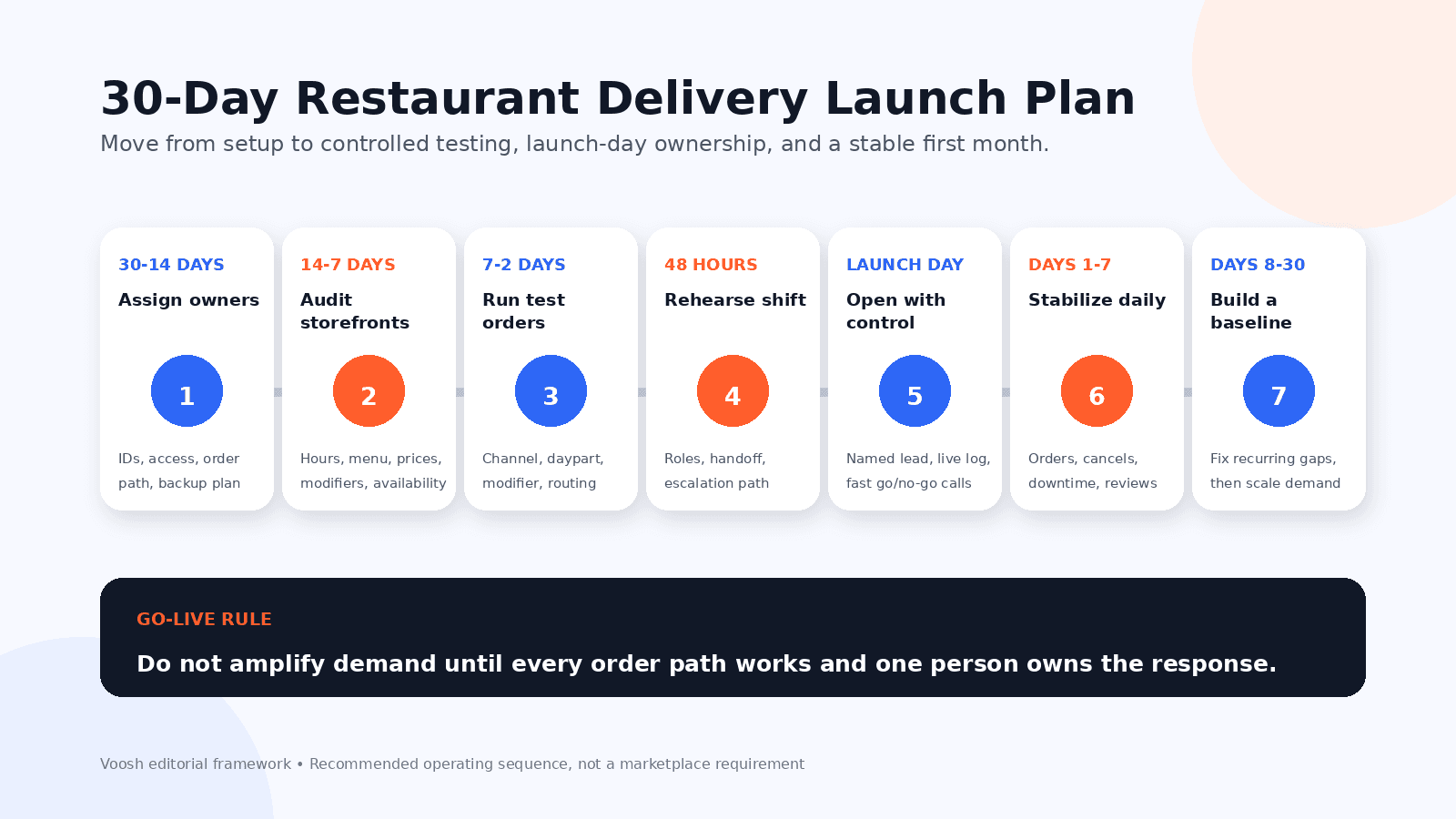
Seven-stage restaurant delivery launch plan from 30 days before opening through day 30
Treat each stage as a gate. If a required route still fails, correct it, remove it from launch scope, or delay that channel.
What must be ready 30 – 14 days before launch?
Start with ownership, not settings.
Create one launch sheet with the legal and public store names, address, phone, timezone, launch date, planned marketplace hours, and each system’s location ID.
Then name the people who own:
- Marketplace onboarding and storefront approval.
- POS or integration configuration.
- Menu source and final menu approval.
- In-store hardware, network, printers, or kitchen display routing.
- Shift training and mock service.
- Launch-day issue triage.
- Post-launch reporting and review.
For every delivery channel, draw the order path in one line:
Guest order → marketplace → integration or tablet → POS/KDS/printer → production → check → staging → courier pickup
Write the backup path beside it. If the integration is unavailable, can the restaurant use an approved tablet? Who can switch methods? A backup in one manager’s head is not a backup.
What should you audit 14 – 7 days before launch?
Review the storefront as a guest would, then compare it with the approved source of truth.
Check:
- Restaurant name, address, phone number, map pin, and pickup instructions.
- Regular hours, late-night cutoffs, breakfast or lunch schedules, and holiday exceptions.
- Menu categories, item names, descriptions, photos, and sold-out items.
- Required and optional modifiers, minimum and maximum selections, and upcharges.
- Prices, taxes, fees shown to the guest, and pickup versus delivery availability.
- Allergen or dietary statements that your brand has approved.
Official merchant resources emphasize the same fundamentals: storefront hours control when guests can order, while menu schedules control when daypart items appear (source).
Use the delivery app listing audit for the storefront check, and review menu engineering for delivery apps before copying the full dine-in menu.
A focused launch menu is easier to test, train, prepare, and troubleshoot. Add complexity after the core order path is stable.
How should you run delivery test orders 7 – 2 days before launch?
One successful test is not enough if the restaurant has several distinct order paths.
Build a small matrix. At minimum, test each combination that can behave differently:
- Marketplace or ordering channel.
- Delivery versus pickup, if both are offered.
- Direct tablet versus integrated order routing.
- Breakfast, lunch, dinner, or late-night schedule.
- Simple item, required modifier, optional modifier, and sold-out item.
- Scheduled order, if the location will accept one.
The DoorDash onboarding series includes tablet setup, pre-launch test orders, integration setup, and staff training (source).
For each test order, verify the full chain:
- The storefront accepts the order at the intended time.
- The correct location receives it.
- Every item, modifier, quantity, and note reaches production.
- The promise time and kitchen timing are workable.
- The check, label, and packaging match.
- The order moves to the right staging area.
- The team can identify the courier and complete the handoff.
- The final order status updates correctly.
Record pass, fail, owner, and retest date. Do not store guest information in a shared launch document.
What should the team rehearse 48 hours before launch?
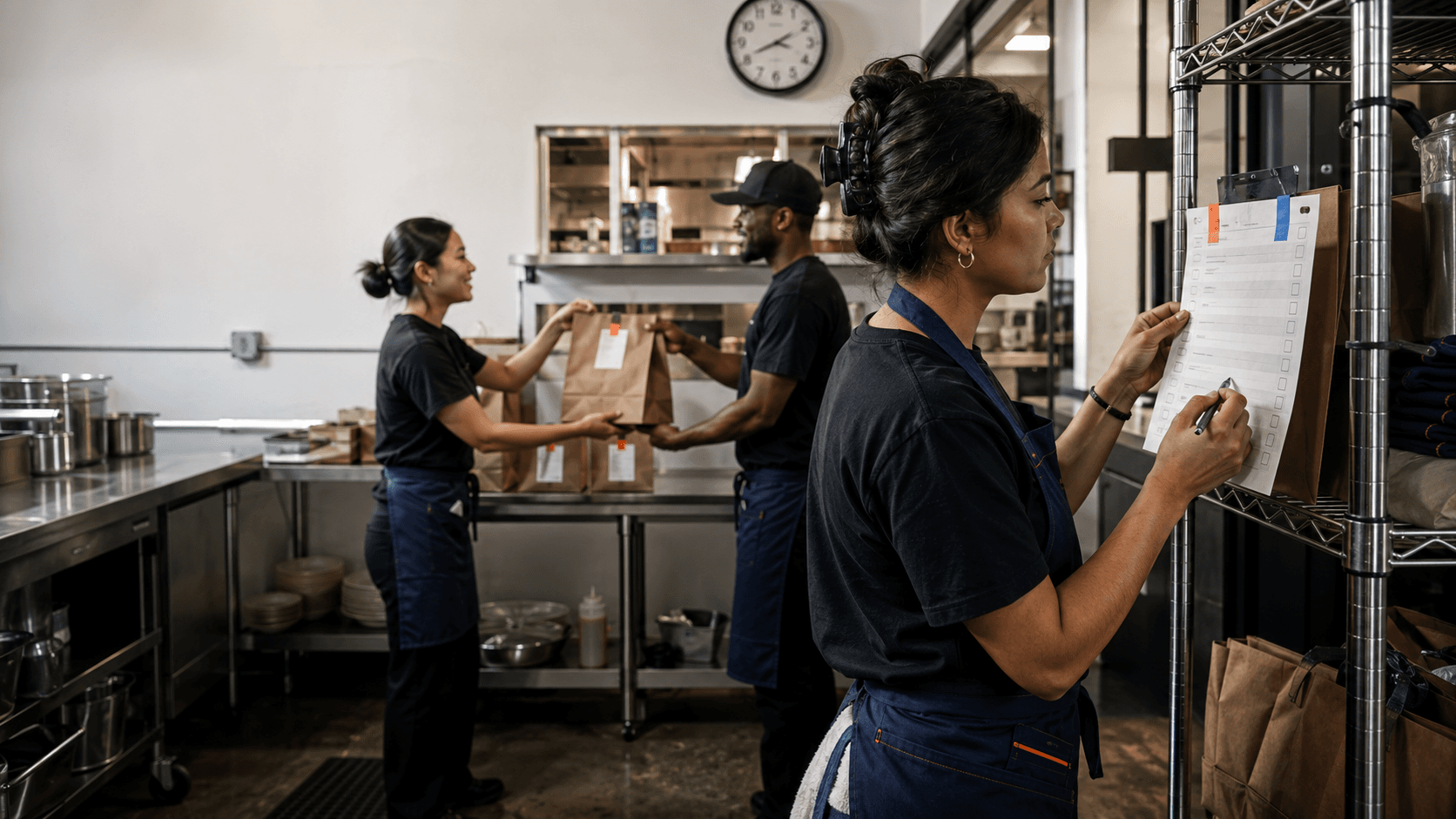
Run a short mock shift with the people who will actually work the first delivery day.
Assign these roles:
- Order receiver: Watches incoming orders and flags anything missing.
- Kitchen lead: Confirms tickets reach the correct station and timing is realistic.
- Expo or accuracy checker: Matches item, modifier, label, and packaging to the ticket.
- Handoff owner: Controls the pickup area and confirms the right order leaves.
- Launch lead: Decides when to pause, escalate, retest, or remove a channel from scope.
Rehearse three exceptions: an item becomes unavailable, an order does not print, and the kitchen falls behind.
Keep the escalation tree visible but secure. Include role-based contacts, support links, location IDs, and the person authorized to change store status. Never post shared passwords.
How do you control launch day?
Open with less complexity than you plan to run long term.
Use the tested menu, confirmed hours, trained shift, and channels that passed. Avoid stacking a grand-opening promotion on top of an unproven order flow.
The launch lead should maintain a simple live log:

The log keeps the team from solving the same issue twice and gives the post-launch review real evidence.
Prepare to handle peak delivery demand, but do not confuse readiness with maximum volume. A controlled first service is the fastest route to a repeatable one.
What should you monitor during the first 30 days?
For the first week, review the location daily. From days 8 - 30, move to a weekly review unless an issue remains active.
Watch:
- Completed order volume by marketplace and daypart.
- Acceptance and cancellation patterns.
- Marketplace uptime and unexpected offline periods.
- Prep or wait-time signals available from connected sources.
- Order-issue reasons and repeated modifier problems.
- Ratings, low-star reviews, and repeated complaint themes.
- Menu availability and items that are frequently marked out.
- Promotions or ads only after the base operation is stable.
Use the same metric definitions every day. Annotate closures, limited hours, staffing shortages, menu changes, and local events.
A restaurant dashboard for delivery operators can reduce the time spent switching between stores and channels, but the review still needs an owner. Every flagged issue should end with one action, one due date, and one recheck.
By day 30, document the initial baseline. Compare it with similar openings and mature stores carefully.
How should independents and multi-unit teams adapt the plan?
An independent can keep the plan lean. One owner may cover setup, testing, and reporting while the shift manager owns live service. Separate doing the work from signing off that it passed.
A multi-unit group needs stronger governance:
- One reusable opening template.
- A location-level owner for physical readiness.
- A corporate owner for marketplace and data readiness.
- A standard naming convention for stores and channels.
- A go/no-go review 48 hours before launch.
- A day-7 and day-30 review across the opening team.
Templates reduce effort; validation catches the differences.
What does a clean launch look like in practice?
Illustrative example - not a reported Voosh customer result: A 12-location fast-casual brand is opening location 13.
The storefront audit finds breakfast ending one hour early on one marketplace and a modifier group allowing “no protein” when the recipe requires one choice. Both are corrected.
The test matrix catches integrated dinner orders reaching the POS but skipping the expo printer. The owner updates the route and retests.
The restaurant launches with the validated core menu and no paid promotion. The lead logs one short offline period, the team reviews early ratings and cancellations daily, and the store builds a day-30 baseline before expanding demand.
No single fix made the launch work. The sequence did.
How can Voosh support post-launch visibility?
Voosh does not replace marketplace onboarding, menu configuration, POS setup, or in-store training.
Once relevant platforms are connected, Voosh can give teams one view of delivery marketplace signals across stores and channels. Depending on enabled modules and data coverage, teams can monitor sales and operating patterns, track store uptime, manage reviews, analyze ads and promotions, and ask VooshGPT what changed and where to investigate.
For customers using Marketplace Store Uptime, Voosh monitors supported marketplace store status, sends alerts, and can automatically reopen a store according to configured rules.
After go-live, that visibility helps operators spot recurring problems and keep action owners focused.
Which launch mistakes should operators avoid?
- Launching every channel at once without testing each path.
- Copying a mature store’s full menu before the new kitchen proves it can execute.
- Treating one successful order as complete QA.
- Running a large promotion before the operation is stable.
- Letting several people own the same incident, or nobody own it.
- Using shared credentials in a launch sheet or group chat.
- Comparing the first week directly with a mature location without context.
- Closing issues without a retest.
The best launch checklist is not the longest one. It is the one that makes every critical path visible, testable, and owned.
Prove the order path before you scale demand
A new restaurant should earn delivery volume in sequence: verify the storefront, prove the order route, rehearse the shift, name the launch lead, and watch the first 30 days.
If your team is opening locations across several delivery marketplaces, Voosh can help consolidate post-launch signals and keep supported workflows from turning into another manual checklist.
Book a demo to see how Voosh supports restaurant marketplace operations after go-live.