Uber Eats Store "Currently Unavailable"? Why It Happens and How to Fix It

Summary Highlights
When customers see "Currently unavailable" on your Uber Eats listing, your store is paused - not delisted. Uber's published guidance documents three ways it happens automatically: multiple orders in a row going unaccepted, signals that the store is too busy or unavailable to take orders, and a delivery person reporting your store closed followed by a missed confirmation call. Resuming takes seconds from the tablet's Paused bar or the Uber Eats Manager app - and if nobody acts, an automatic pause lifts by 6:00am the next day, which means the platform's failsafe assumes you can afford to lose the rest of today. Prevention is configuration plus discipline; at multi-unit scale, it's automated monitoring, because two platforms times every location is too many pause surfaces to watch by hand.
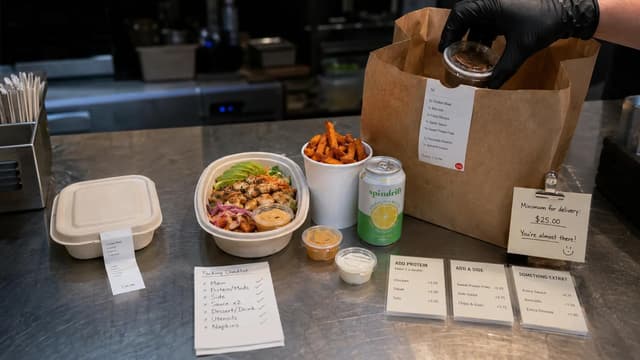
The worst version of this discovery is a text from a regular: "you guys closed?" You're not closed. The kitchen is fully staffed, the fryers are up, and the dining room is half full. But on Uber Eats, your store says Currently unavailable, the orders have flatlined, and somewhere near the expo station a tablet has been sitting in a red paused state since the middle of the lunch rush.
Here's what that status actually means, the three documented ways it happens, how to get back online in the next sixty seconds, and what it takes to stop rediscovering the problem one location at a time.
What "currently unavailable" actually means
"Currently unavailable" is the customer-facing label for a paused store. Your listing is still there and your menu may still be visible - but ordering is switched off until the store is resumed. On your side, the Uber Eats Orders tablet shows a paused status bar instead of the normal home screen.
A store ends up paused one of three ways: someone on your team paused it (deliberately during a rush, or by accident), Uber paused it automatically - the recurring mystery this guide is about - or it isn't paused at all and is simply showing as closed because the listed hours or holiday settings say it should be. That third case matters: before troubleshooting a "pause," check what your hours actually say. None of these are the same as being removed from the platform, which is a separate, non-automatic process.
The three reasons Uber Eats pauses your store automatically
Uber's reasoning is customer protection: in its own words, orders that are cancelled or go unaccepted create a negative experience that can discourage customers from ordering from you again (Uber's published guidance on automatic pausing). The documented triggers:
1. Multiple orders in a row go unaccepted. The tablet pings, nobody responds - because it's signed out, the volume is off, the screen isn't on the orders view, or the one person who watches it is plating a 12-top. Several consecutive misses and Uber stops sending customers into the void.
2. The store appears too busy or unavailable to take orders. Uber pauses stores "when it appears that your restaurant is too busy or unavailable to take new orders" (same guidance). In practice this is the signal cluster around slow acceptance and strained throughput, which is why prep-time settings and Busy Mode (below) matter more than they look.
3. A courier reports your store closed, and nobody answers Uber's call. The brutal one. If a delivery person reports the store closed, Uber attempts to call the store to confirm. No answer, and the store is paused for the rest of the day. One missed phone call during a Friday rush can put a location dark through your biggest revenue window.
Worth saying plainly: Uber doesn't publish exact thresholds - how many unaccepted orders counts as "multiple" isn't documented. Treat every unaccepted order as one step toward a pause.
How to get back online right now
On the Uber Eats Orders tablet: tap the Paused status bar at the top of the home screen, then tap Resume orders. That's it, you're live.
Without tablet access: resume the store from Uber Eats Manager on web, iOS, or Android. For an ops director, the Manager app on your phone is the difference between fixing this from the road and driving to the store.
If you do nothing: an automatically paused store is unpaused by 6:00am the following day. Read that as the platform's failsafe, not a strategy, it assumes you can afford to write off the rest of today, including tonight's dinner.
If it wasn't a pause: check your listed opening hours and holiday settings, a store outside its configured hours shows as closed regardless of what the kitchen is doing.
How to stop it from happening again
Uber's own prevention guidance, translated into operations:
- Keep opening hours real - including setup and pack-down buffer. Uber explicitly recommends accounting for the time you need between shifts. Hours that claim you're live at 10:59 when the line isn't ready generate exactly the unaccepted orders that cause pauses.
- Set Holiday Hours in advance for one-off closures, instead of letting the tablet ring into an empty store on a public holiday.
- Keep Preparation Times accurate. Misset prep times set wrong expectations for customers and couriers - and feed the too-busy signal cluster.
- Use Busy Mode during rushes. It adds a temporary buffer to incoming orders - the documented alternative to letting orders go unaccepted while the kitchen drowns.
- Tablet discipline: powered, charged, volume up, signed in, orders screen visible, and a named owner per shift who accepts orders promptly.
- Answer the store phone. The courier-report mechanic makes your phone line part of your uptime stack. Post the protocol where the phone is: if Uber calls to confirm we're open, the answer is yes, today.
Why this compounds across locations
One store, one platform, an attentive GM - manageable. Forty locations on two platforms is eighty independent pause surfaces, each with its own tablets, staffing, and Friday chaos, governed by two different trigger systems. And the cost driver isn't any single pause, it's detection lag. A location paused at 7pm Saturday that nobody catches until Monday didn't lose one rush; it lost the weekend.
The frequency is higher than most operators assume. Among operators we work with: a 40-location McDonald's franchise operator logged 2,300 store-level downtime incidents in 30 days - roughly two per store per day. A 200+ location QSR brand accumulated 3,440 hours of marketplace downtime in 60 days before automated recovery caught up. An 80-store pizza franchise measured offline time costing up to 2% of monthly sales - and recovered 4,000+ orders after automating reopening.
Where automation fits, and where it doesn't
Automated uptime monitoring does three things humans don't do reliably at scale: it checks every store's live status on the platform continuously, it brings stores back online the moment it's safe to do so, and it alerts a human when the pause needs one - like a courier-report pause that wants a callback, or a location that's genuinely closed.
What it doesn't do is fix the kitchen. If prep times are fantasy or a location is chronically understaffed, automation buys you uptime while you fix the root cause - it isn't the fix.
Voosh's Marketplace Store Uptime does this across DoorDash and Uber Eats: continuous monitoring, automatic reopening when safe, and one availability view across every location. The case studies above are its customers' measured results.
How Uber Eats pauses differ from DoorDash's
If you run both platforms, you're managing two different rulebooks. DoorDash documents four trigger classes - including a tablet-heartbeat rule that pauses a store whose tablet can't receive orders for five minutes, and a two-avoidable-cancellations-in-a-day threshold - and reopening is self-serve anytime. Uber Eats documents the three triggers above, adds the courier-report phone call DoorDash doesn't have, and auto-unpauses by 6:00am the next day. The operational implication: on Uber Eats, response speed matters more (a missed call costs the whole day), while on DoorDash, tablet uptime and cancellation discipline carry more weight.
The sixty-second takeaway
Tap the Paused bar and resume (or do it from the Manager app). Find which of the three triggers caused it. Fix that trigger today - hours with real buffers, honest prep times, Busy Mode instead of unaccepted orders, a phone protocol. And once you're past a handful of locations, stop assigning humans to notice silence: automate detection and reopening, and put the recovered hours into the operations that caused the pauses.
Running multiple locations on Uber Eats and DoorDash? Talk to an expert about what your stores' real availability looks like - or see how Marketplace Store Uptime works.