
A Step-by-Step Guide to Disputing Order Errors on DoorDash and UberEats
Summary Highlights
Simplify your operations and maximize revenue recovery with Voosh's automated dispute management solution. Ideal for restaurant owners seeking to streamline error charge disputes and enhance operational efficiency.
Introduction
Disputing error charges on DoorDash and Uber Eats can be an overwhelming task, especially for restaurants with multiple locations. These errors not only disrupt operations but can also lead to significant financial losses if not handled properly. This guide provides a detailed walkthrough of the process, highlighting the complexities involved and offering best practices for efficient dispute management.
The Complexity of Manual Dispute Management
Handling disputes manually is labor-intensive, especially with multiple locations. Each order must be reviewed individually, and disputes must be submitted with detailed evidence. The process is not only time-consuming but also prone to errors, risking revenue loss if not managed effectively.
Disputing Error Charges on DoorDash
- Accessing the Operations Quality Section
- Log in to your DoorDash Merchant portal.
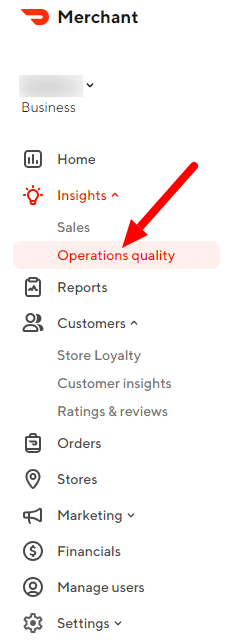
- Navigate to the 'Insights' tab and select 'Operations quality'.
- Reviewing Order Accuracy
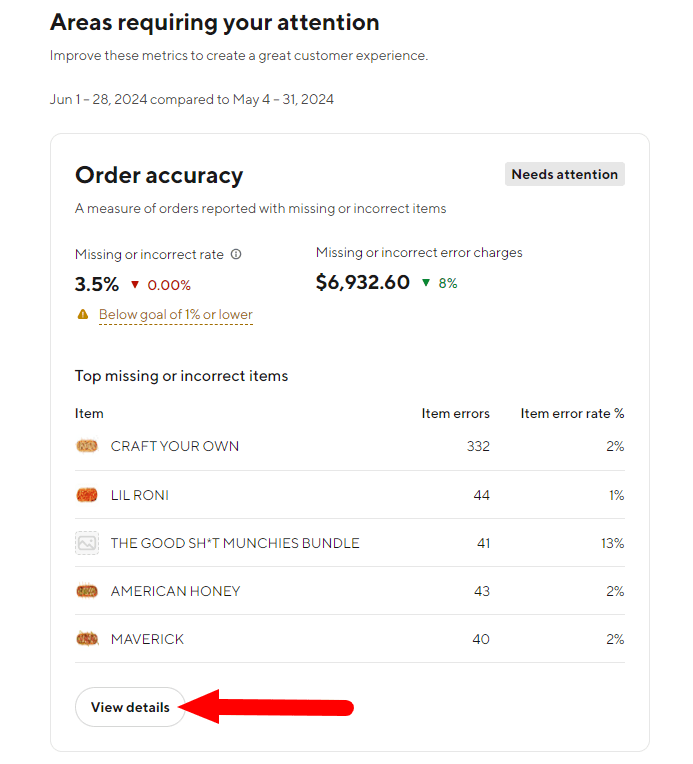
- In the 'Operations quality' section, locate the 'Order accuracy' panel.
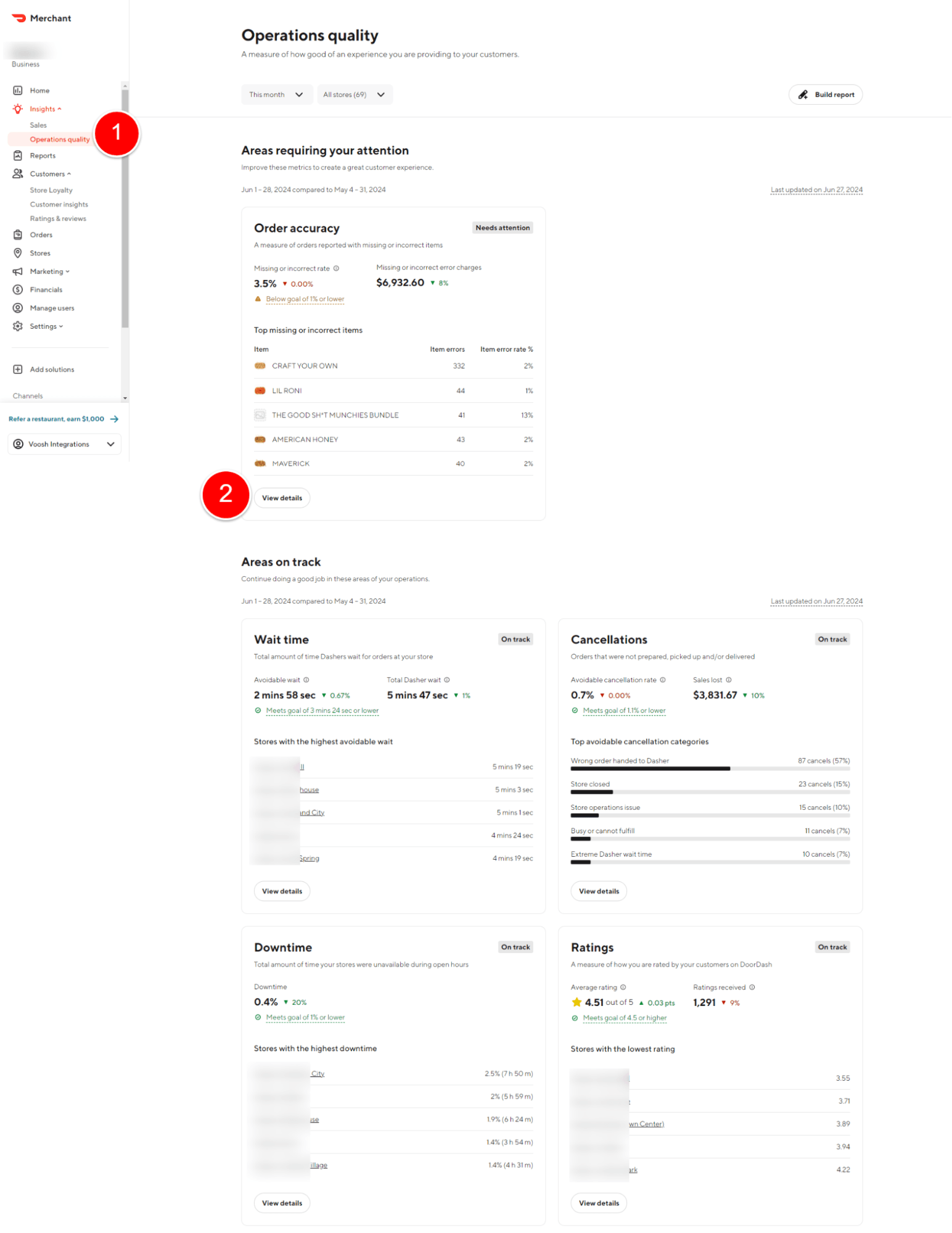
- Click on 'View details' to see detailed error charges.
- Selecting Specific Stores
- By default, 'All stores' are selected. To view detailed error charges, you need to switch to a specific store.
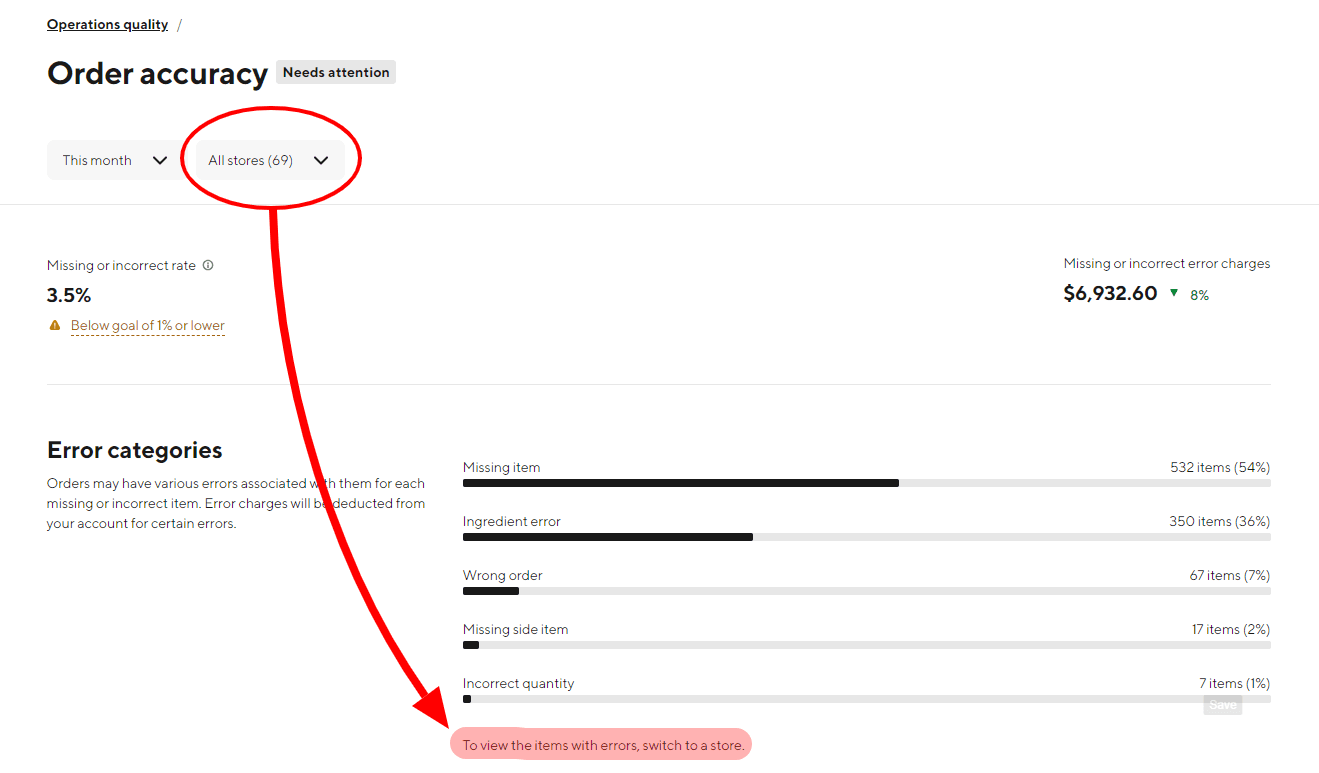
- Select a store to see the detailed list of missing or incorrect items and associated charges.
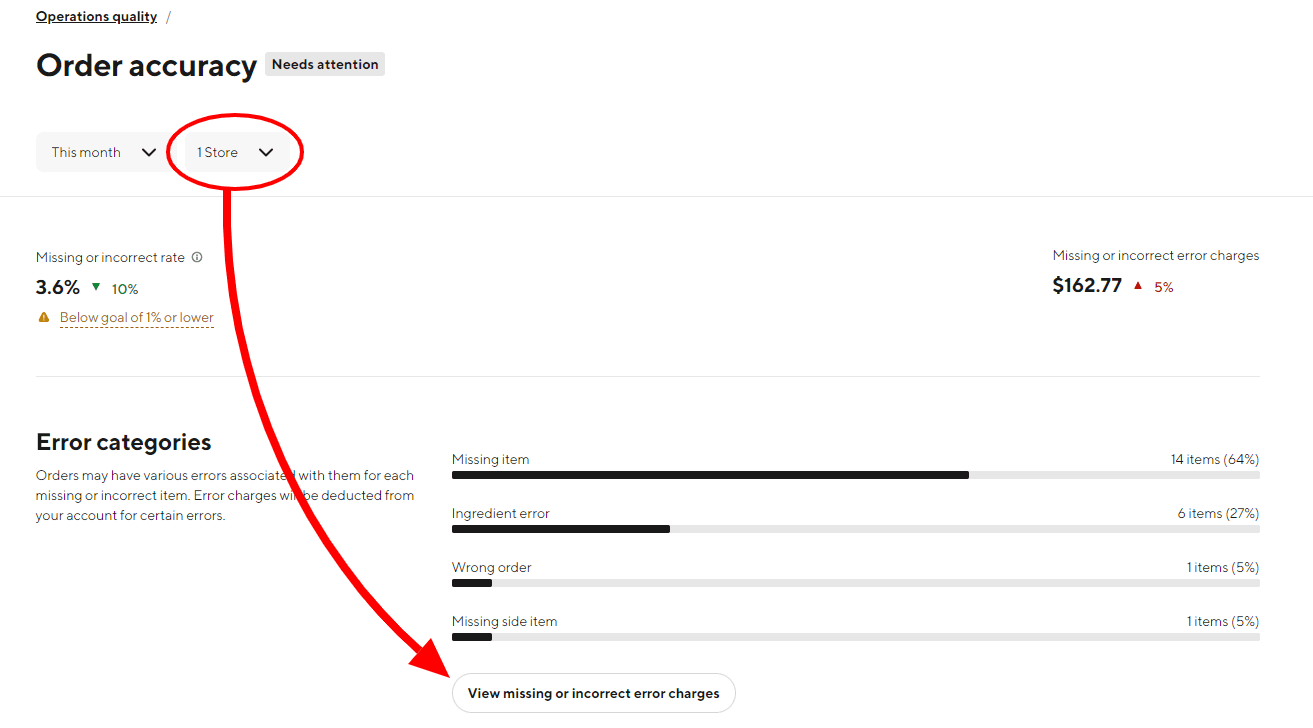
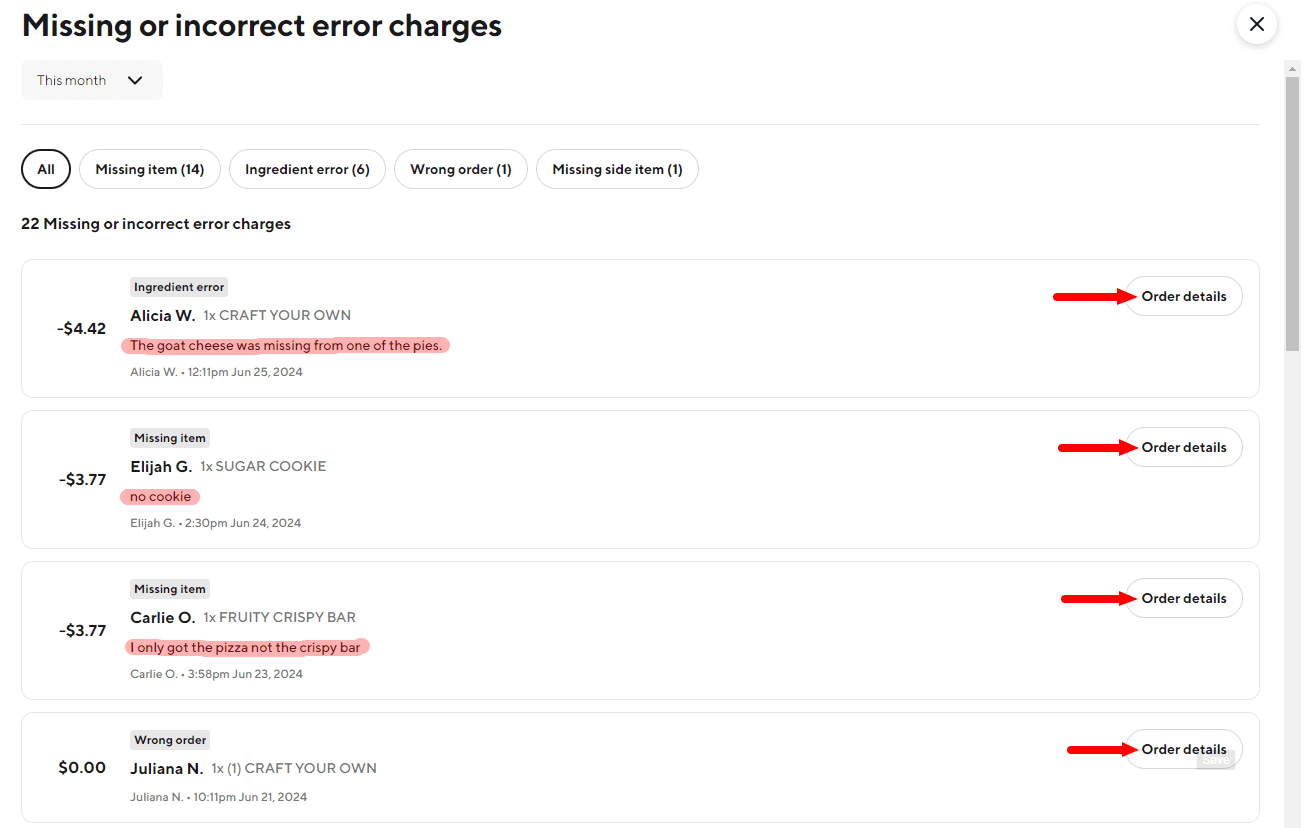
- Viewing and Disputing Orders
- Click on the orders with errors to see the details.
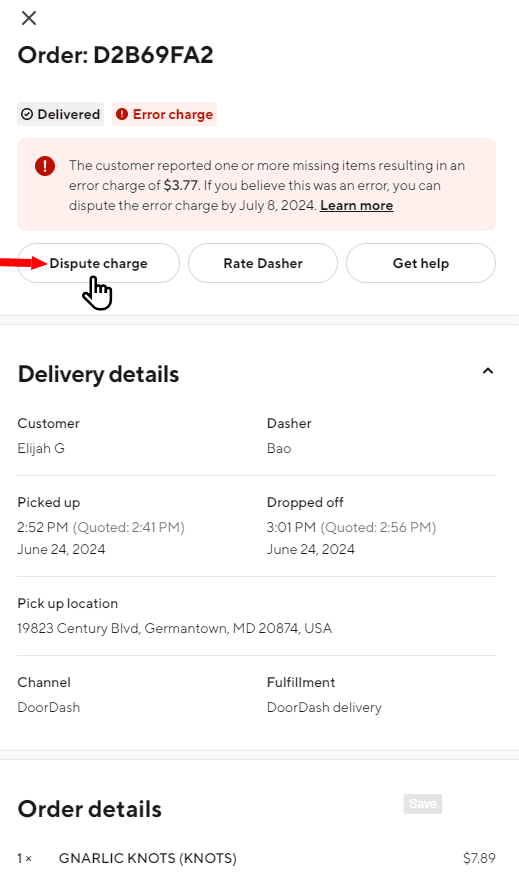
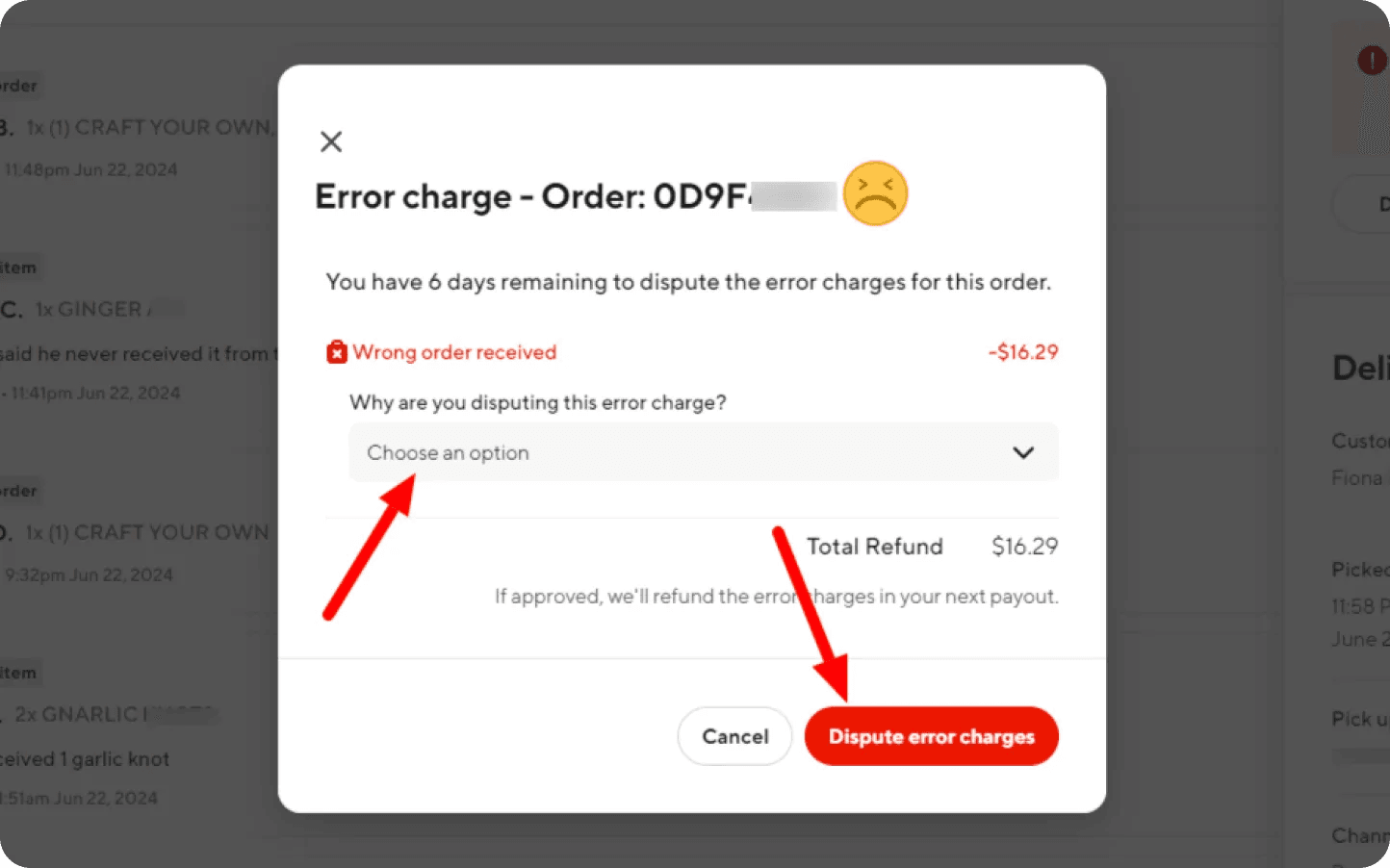
- Choose the reason for disputing the error charge, providing relevant evidence.
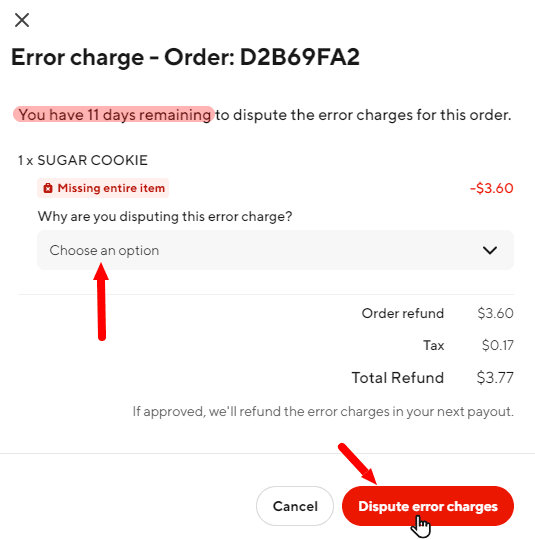
- Submit the dispute and wait for approval or rejection.
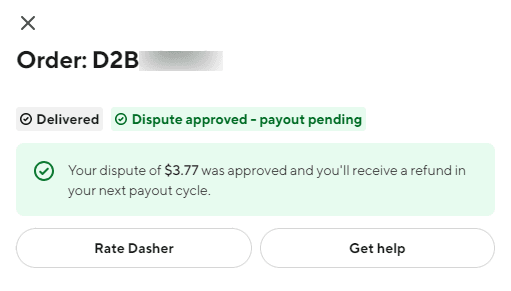
Disputing Error Charges on Uber Eats
- Accessing the Orders Section
- Log in to your Uber Eats Manager portal.
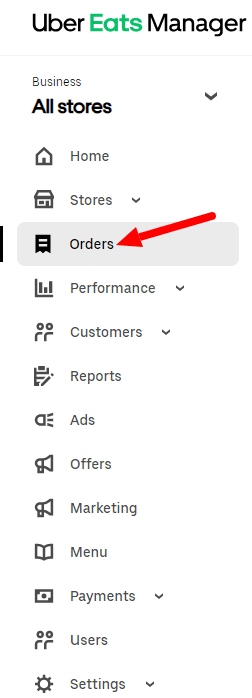
- Navigate to the 'Orders' section.
- Filtering Order Issues
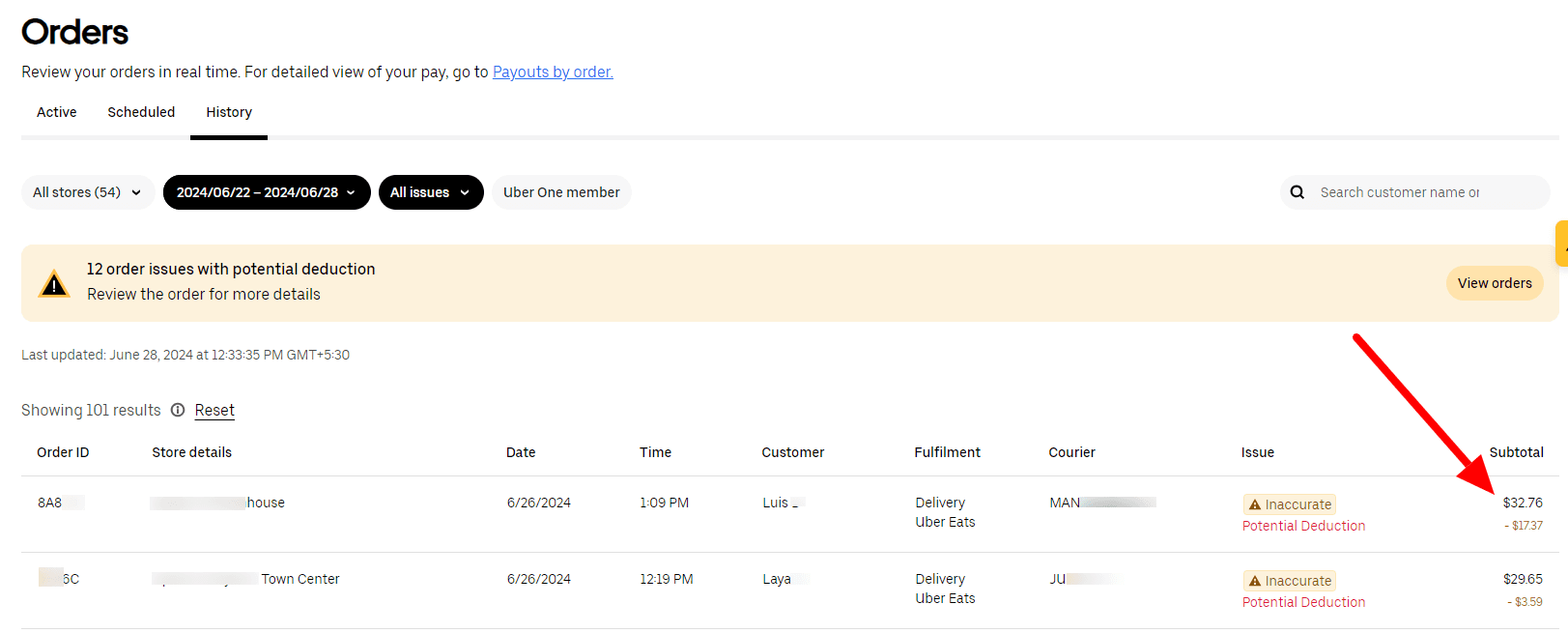
- In the 'Orders' dashboard, filter by 'Order issue' to see all orders with potential deductions.
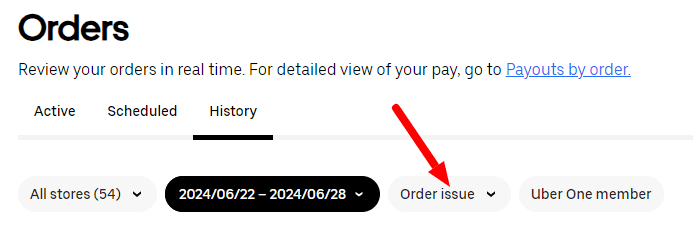
- Review the list to identify orders with inaccuracies.
- Reviewing Specific Orders
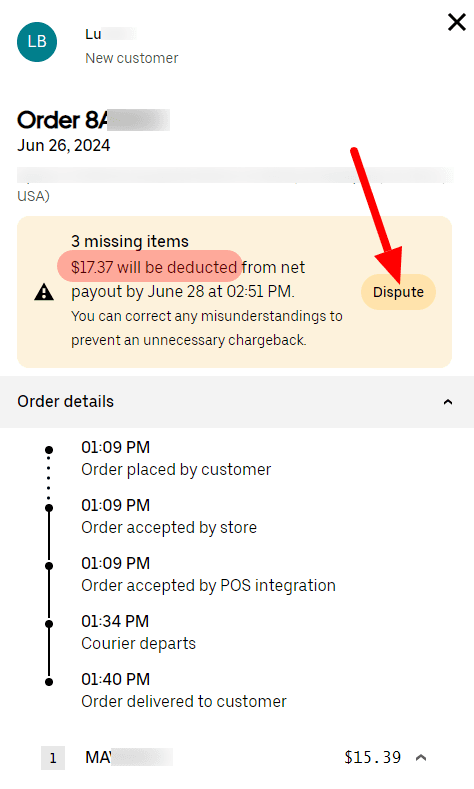
- Click on each order to view the details of the error and the amount deducted.
- Click on 'Dispute' to begin the appeal process.
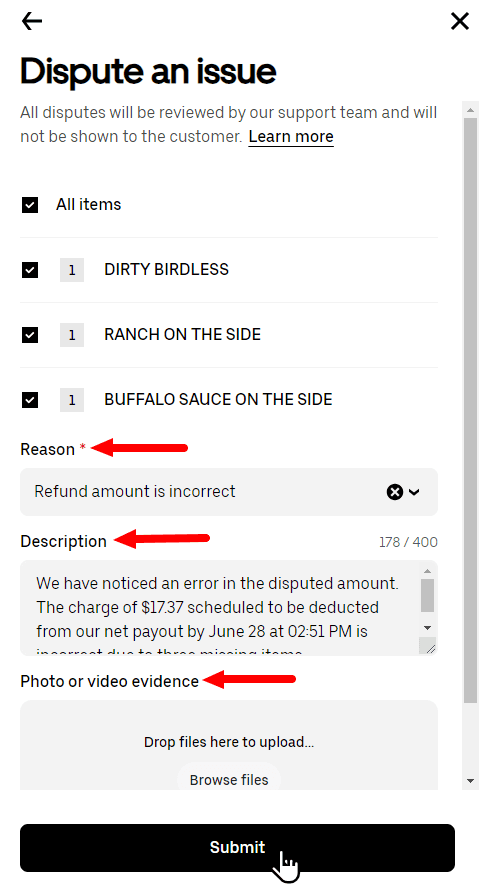
- Submitting a Dispute
- Provide a detailed reason for the dispute, including any relevant photo or video evidence.
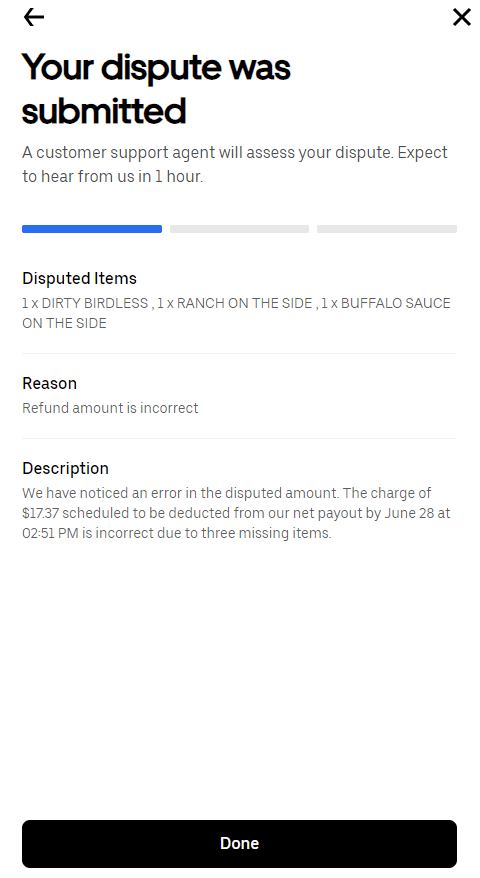
- Submit the dispute and monitor for a response from Uber Eats.
Best Practices for Dispute Management
- Prioritize High-Value Disputes: Focus on disputing charges for high-value orders first to recover significant revenue quickly.
- Timely Disputes: Dispute charges promptly. Uber Eats allows 30 days, DoorDash allows 14 days, and GrubHub permits 30 days for filing disputes.
- Provide Comprehensive Evidence: Ensure the evidence matches the dispute reason to increase the chances of approval.
- Monitor Customer History: Check if the issue is genuine or a potential fraudulent claim and flag suspicious customers.
Automating Dispute Management
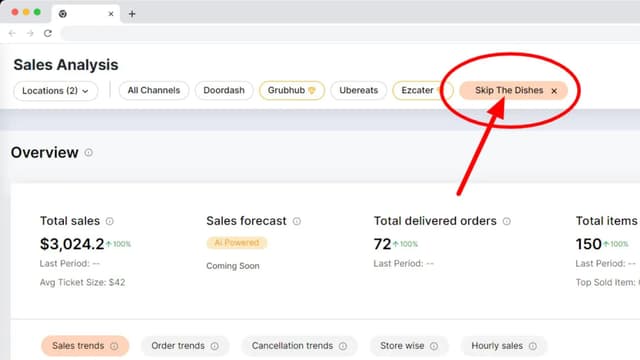
Voosh simplifies this arduous process. With just a single click, Voosh automates the entire dispute management process across DoorDash, Uber Eats, GrubHub, SkipTheDishes and DoorDash Drive. This ensures timely and accurate dispute submissions, maximizing revenue recovery without manual intervention.
Conclusion
The manual dispute process on DoorDash, Uber Eats and GrubHub is complex and time-consuming, especially for restaurants with multiple locations. By following best practices, you can manage disputes more effectively.
However, to truly streamline the process and ensure maximum efficiency, consider Voosh. Get onboard with Voosh, activate the dispute manager, and let automation handle your error charge disputes, ensuring seamless revenue recovery. Book a demo with Voosh!
Catch up on other editions

Voosh Debuts True ROI at FS/TEC 2026 to Help Restaurants Get More From Delivery Marketing
Voosh Announces Integration with SkipTheDishes, Enhancing Restaurant Management Capabilities Across Canada