Delivery App Downtime: Stop Losing Orders

Summary Highlights
This article explains how “downtime” on delivery apps silently kills orders and revenue — not just full outages, but also soft offline states (errors, pauses) or algorithmic invisibility. It shows how to track uptime effectively and spot issues early, using clear signals like store-status and last-order timestamps. For multi-unit restaurants, Voosh recommends having a unified monitoring dashboard, alerts, and fail-safe workflows so you don’t miss orders or money due to downtime.
Delivery app downtime is any time your restaurant is not visible or not accepting orders on third-party delivery marketplaces even though you think you're open. It can look like "offline," "paused," or just missing from search. The result is simple: fewer orders now, and weaker rankings later.
If you run one location, downtime is annoying. If you run five, 50, or 500, downtime is a silent tax. It drains sales, stresses teams, and makes your marketing spend feel like a bad joke.
The good news: most downtime is preventable. The better news: you can catch it fast, even across dozens of locations, if you treat uptime like a daily operational metric, not a “check the tablet when it’s quiet” task.
What counts as “downtime” on delivery apps?
Think bigger than a full outage. Delivery downtime usually shows up in three sneaky ways:
- Hard offline: your store is marked closed or offline.
- Soft offline: you seem “open,” but orders do not come through (timeouts, integration issues, throttling, paused order acceptance).
- Algorithmic invisibility: you are technically available, but buried so deep customers might as well not see you.
Operators experience all three, and all three cost you money.
How much does delivery downtime cost? Use this 60-second calculator
An industry analysis cited by QSR Magazine found the average restaurant is offline 3.5 hours per month, and each hour of downtime can add up fast.
Here’s a simple way to estimate your own number:
- Average orders per hour (delivery): take a normal week, pick your peak two hours and your slowest two hours, and average them.
- Average delivery ticket: your delivery AOV after discounts.
- Gross profit percent: your real margin after food, labor, packaging, and marketplace fees.
Now calculate:
- Lost sales per hour = orders per hour × average ticket
- Lost gross profit per hour = lost sales per hour × gross profit percent
- Monthly gross profit at risk = lost gross profit per hour × hours offline per month
Example: 8 orders/hour × $32 AOV = $256 sales/hour. If your gross profit is 18%, that’s about $46/hour in gross profit. Multiply by 3.5 hours/month and you are at $161/month per location. Multiply by 20 locations and you are at $3,220/month.
That is the “average.” Your peaks are where the real damage happens.
Why do restaurants go offline (the usual suspects)?
Most downtime is not one big failure. It is a pile of small, fixable issues. Here are the patterns operators see again and again.
- How do hours and holiday schedules trigger downtime? One platform has your hours updated. Another is still on last season. A third has you “open” at 10:30 pm even though your kitchen stops at 9:00.
Mismatch triggers missed orders, late orders, cancellations, and eventually platform penalties. - How do menu problems create “soft offline”?
A single broken modifier can stop ordering on an item, or confuse customers into abandoning carts. A sold out item that is still live can spike cancellations.
This gets worse when different locations “fix it their own way.” - How do order acceptance issues turn into pauses?
Sometimes orders are flowing, and then a store gets “paused” because acceptance is slow, tablets go to sleep, or staff do not notice a new queue. - How do POS and integration hiccups cause silent downtime?
Even one disconnected mapping can cause a “soft offline” where you look open but nothing hits your kitchen. - How do capacity problems start the domino effect?
If your prep times are set for Tuesday at 2 pm, you are going to struggle Friday at 7 pm. Platforms react by pausing you or pushing you down. - How do account and payment issues take a store offline?
Expired banking details, compliance reviews, or account flags can take a location offline with little warning.
You cannot prevent every one of these. You can prevent the “no one noticed for six hours” part.
The 3 downtime scenarios (and the one signal to watch)
Most teams only notice downtime when someone texts, “We’re dead tonight.” These three scenarios cover 90% of what operators experience:
- You are truly offline: customers cannot find you or you show as closed.
Signal: your listing status shows closed and your last-order timestamp is hours old during a normal meal rush. - You are soft offline: you look open, but orders are not reaching the kitchen (or are failing to confirm).
Signal: your listing shows open, but “last order received” goes quiet while peer locations stay busy. - You are “available” but invisible: you are open, but you are buried in search because the platform is prioritizing stores it thinks are more reliable in the moment.
Signal: impressions drop, page views drop, and the few orders you do get skew heavily to branded search (people who already know you).
Treat all three the same way: confirm the status, isolate the cause, and fix the workflow that let it slip through.
The 7-step downtime prevention playbook (print this)
Use this as your daily and weekly checklist. Keep it under eight steps so it actually gets done.
- Lock your hours system: choose one source of truth for hours, holidays, and special events, then push updates everywhere.
- Do a weekly menu “broken link” scan: check top sellers, modifiers, photos, and pricing for each platform.
- Set peak-ready prep times: update prep time rules by daypart, not just one default.
- Track acceptance rate and auto-pause events: if a store gets paused twice in a week, treat it like a safety incident.
- Create an “offline rescue” runbook: who gets notified, how fast they respond, and what they do first.
- Audit one location per day: rotate through stores so every unit gets a full health check monthly.
- Monitor uptime like you monitor food safety: if it is not measured, it drifts.
How do multi-unit teams stay online without living on tablets?
If you manage more than a few locations, “check each tablet” does not scale. What scales is visibility, alerts, and a clear owner for exceptions.
At a minimum, your team needs:
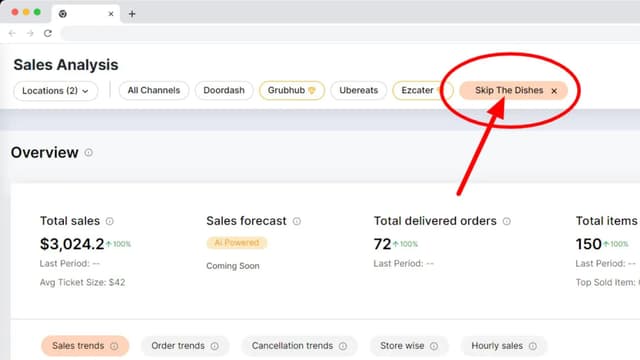
- One place to see store status across platforms
- A signal when a store disappears or stops receiving orders
- A way to connect downtime to dollars (orders and sales lost)
- A history trail: when it happened, how long it lasted, what fixed it
The five metrics that predict downtime (before it happens)
You do not need 40 charts. You need five numbers that tell a story:
- Uptime minutes: how long each location was actually accepting orders.
- Last order timestamp: the fastest “something’s wrong” indicator during peak.
- Acceptance rate and time-to-accept: rising delays often precede a pause.
- Cancellation rate by reason: “out of stock” and “too busy” are early warnings.
- Menu error count: broken modifiers, missing items, and price mismatches.
If you track these weekly, you stop being surprised.
What good monitoring looks like
Good monitoring does two things at once: it shows “who is offline right now,” and it shows “who keeps going offline” so you can fix root causes instead of playing whack-a-mole.
Voosh is built around consolidating third-party delivery operational data across platforms so teams can analyze performance in a single view. Voosh also offers a Marketplace Uptime Automation designed to monitor store status across delivery marketplaces so operators can catch “we are offline” moments fast.
("Downtime Controller" - https://voosh.ai/blogs/voosh-launches-third-party-marketplace-downtime-controller)
A practical operating cadence (what good looks like)
Daily (10 minutes)
- Check store status and last-order timestamps across all locations.
- Review any “paused” or “offline” alerts.
- Spot check one location’s menu top 10 items.
Weekly (30 to 60 minutes)
- Review downtime minutes by location and daypart.
- Identify the top three root causes and assign an owner.
- Update holiday hours for the next four weeks.
Monthly (60 minutes)
- Run a delivery “health scorecard” by location: uptime, acceptance, cancellations, rating trend, and refund rate.
- Decide which fix will move the needle most next month.
("Marketplace management guide" - https://voosh.ai/blogs/a-comprehensive-guide-to-marketplace-management-for-restaurants)
What should you do when you are already offline? (triage in order)
When orders stop, speed matters. Use this order so you do not chase your tail:
- Confirm reality: check your listing on the consumer app and your merchant view.
- Check hours and manual pause toggles: the simplest cause is often correct.
- Check internet and device power: especially if tablets sleep or Wi-Fi drops.
- Check order flow: did last orders arrive? any “failed to send” errors?
- Escalate with platform support if needed: document timestamps and screenshots.
The goal is not perfection. The goal is “we notice fast and fix fast.”
Why does uptime matter more in 2025 (and beyond)?
Delivery is not a side channel anymore. One U.S. market outlook estimates the U.S. online food delivery market generated $52.7B in 2024 and projects continued growth through 2030.
When demand is that big, uptime becomes a core operating discipline, like labor planning or inventory.
Where Voosh fits
Voosh helps restaurants centralize and automate third-party delivery operations across platforms, including downtime, order details, financial insights, reviews, and disputes, so teams can spot issues faster and act with confidence.
If downtime is a recurring pain, the fastest win is simple: make store status visible, make “offline” alertable, and make the fix process repeatable.
("Restaurant tech trends" - https://voosh.ai/blogs/restaurant-tech-trends-2025)
Wrap-up: treat uptime like revenue
Downtime is rarely dramatic. It is usually a quiet, preventable leak.
Pick one thing from this article and implement it this week:
- a shared hours system,
- a 7-step checklist,
- or a monitoring view that tells you when a location disappears.
Want help seeing where downtime is hitting hardest across your locations? Book a Voosh demo and we will show you what’s happening across your delivery channels in one place.
FAQ
Why does my restaurant go offline on delivery apps?
Common reasons include hours mismatches, manual pauses, menu or modifier errors, connectivity issues, and capacity problems that trigger auto-pause. The fix is combining a clean checklist with monitoring so issues do not sit unnoticed.
How do I know if my store is offline if no one tells me?
Track store status across marketplaces, set alerts for “offline” or “paused” events, and watch “last order received” timestamps. If last-order timestamps go quiet during your normal busy window, investigate immediately.
What is the difference between offline and paused?
Offline usually means the platform considers you closed or unavailable. Paused often means order acceptance is temporarily stopped due to operational signals (slow acceptance, prep-time stress, or manual pausing). Both reduce orders.
How much does downtime cost restaurants?
Use a simple estimate: orders per hour × AOV × gross profit percent × offline hours. Industry analysis cited by QSR Magazine reports an average of 3.5 hours offline per month.
How can a multi-unit brand prevent downtime without adding labor?
Standardize hours and menus, reduce manual steps, and use monitoring plus a simple tool like Voosh so one person can manage exceptions across many stores.
Catch up on other editions
Maximize Your Restaurant's Growth on Third-Party Delivery Platforms: Tips & Tricks

Food Delivery Near Me: 5 Strategies for Choosing the Best Platform for Your Restaurant